

CRM with Invoicing: Send, Track, and Get Paid, All in One Place
Most businesses run invoicing out of one app and their customer data out of another. That means manually copying information, chasing payments by hand, and never knowing if a client has even seen the invoice. Viking combines your CRM and invoicing in one platform, so the moment a job is done the invoice is out, the reminder is automatic, and the payment lands straight into the customer's record.
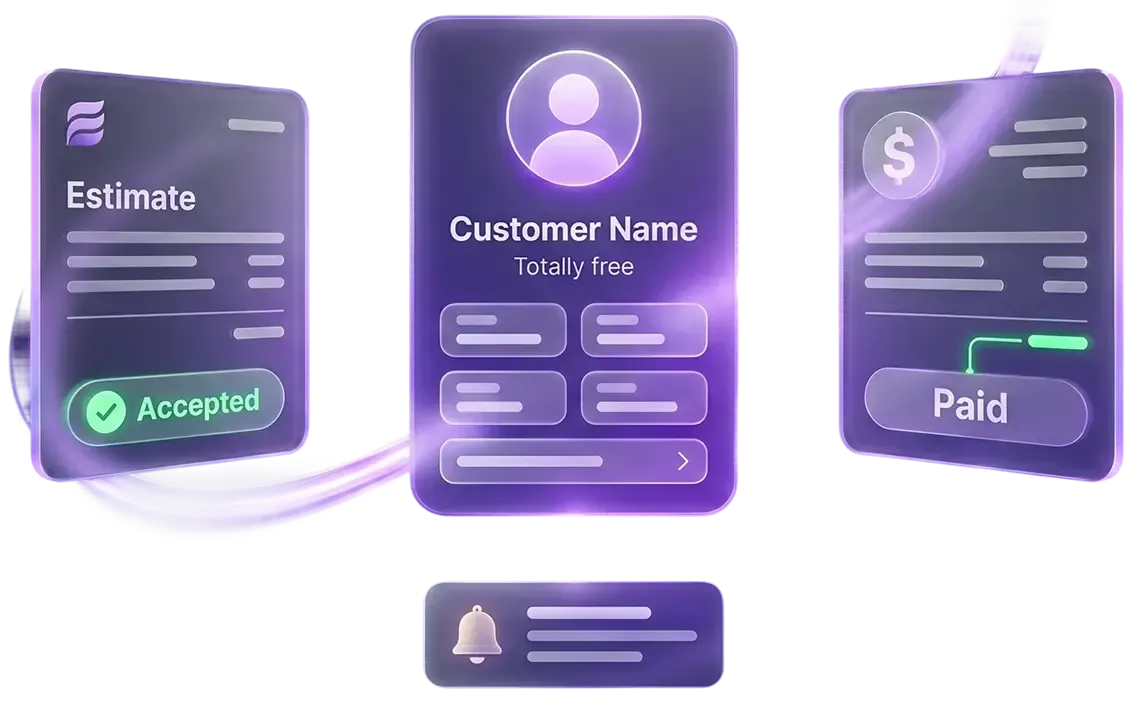
- Branded invoices by text and email
- Estimates that convert to invoices in one click
- Recurring billing with auto-pay
- Automated reminders until paid
- Every invoice tied to your CRM
- Flat pricing, no contracts
Definition
What is a CRM with invoicing?
A CRM with invoicing is a platform that combines your customer relationship management and billing tools into one system. Instead of using separate apps for contacts, jobs, and invoices, everything lives together. When a customer record is updated, the invoice reflects it. When a payment comes in, the CRM logs it. When an invoice goes overdue, a reminder fires automatically. For a service business, this means less manual work, faster payment, and a complete view of every customer from first contact to final invoice.

Why running invoicing outside your CRM costs you
The biggest problem with standalone invoicing software is not the cost, it is the gap. When your invoicing tool does not know what your CRM knows, things fall through:
You finish a job but forget to send the invoice because it requires a separate login.
A client pays but the payment is not reflected in their customer record, so your team keeps chasing.
You spend time copying contact details from your CRM into your invoicing app every single time.
You have no idea which open invoices belong to which jobs or how long they have been outstanding.
Viking closes these gaps. Invoicing lives inside the same platform as your contacts, conversations, and pipelines, so every invoice is automatically connected to the right customer, the right job, and the right workflow.
How Viking's invoicing works

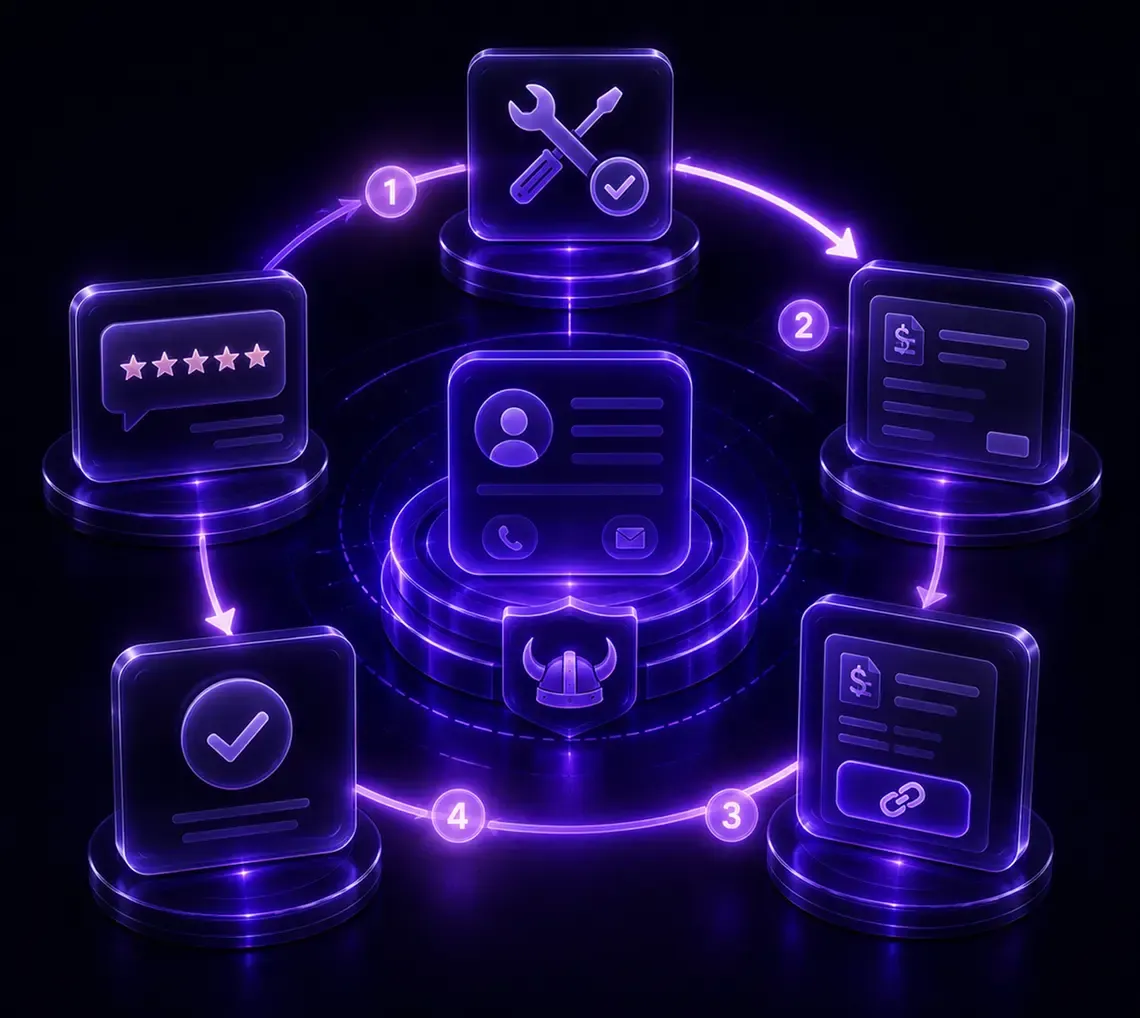
Send an estimate.
Before the job starts, send a professional branded estimate to the client by text or email. They tap to accept or reject. No printing, no PDFs, no chasing an answer.

Convert to invoice in one click.
Once they accept, turn the estimate into an invoice without retyping anything. Line items, pricing, taxes, and client details carry over automatically.

The invoice goes out by text and email.
The customer gets a branded message on their phone and in their inbox with a secure link to pay. They tap once and pay, with no app or account required.

Reminders fire automatically if unpaid.
You set the schedule once, email at three days, SMS at seven days, and the system follows up until the invoice is paid. You never manually chase a balance again.

Payment logs to the customer record.
The moment payment arrives, it appears on the contact in your CRM. The pipeline updates, the invoice status changes to paid, and your next workflow (a review request, a rebooking, a thank-you) fires automatically.
What you get with Viking invoicing

Branded invoices by text and email.
Every invoice carries your logo, colors, business name, line items, taxes, discounts, and due dates. It looks like your business, not a generic third-party tool.

Estimates that become invoices.
Send a quote before the work starts. When the client accepts, convert it to an invoice in one click. No double entry, no lost details.

Automated payment reminders.
Set a reminder schedule once and the system handles follow-ups by text and email until every invoice is paid. You control the timing, tone, and frequency.

Recurring invoices with auto-pay.
For maintenance plans, gym memberships, monthly retainers, or any recurring service, set the billing cycle once and it collects automatically on every due date. The customer stores their card once, and every payment processes without any action from your team.

Invoice status tracking.
Every invoice moves through a visible status: Draft, Sent, Viewed, Partial, Paid, or Overdue. You see exactly where every payment stands, at a glance, without calling anyone.

Deposits before the job starts.
Collect a deposit upfront to protect yourself on larger projects. The deposit logs to the contact and the remaining balance invoices when the job is done.

Multiple payment processors.
Stripe, PayPal, Authorize.net, NMI, and Square all connect to the same system. If you already have one set up, connecting it takes a few minutes.

Bank transfers supported.
Clients can also pay by ACH or bank transfer directly from the invoice, no card required.
The result: customers pay with confidence, and you collect faster without taking on security risk.
How Viking invoicing compares to standalone tools
Running invoicing in a separate app works until your business grows. Here is how Viking's CRM-attached invoicing compares to using a disconnected invoicing tool:
| Feature | Viking (CRM + invoicing) | Standalone invoicing tool |
|---|---|---|
| Invoice tied to customer record | Automatic | Manual copy-paste |
| Send by text and email | Both | Usually email only |
| Automated reminders | Built in | Manual or add-on |
| Estimates + invoice in one flow | One click to convert | Separate process |
| Recurring billing with auto-pay | Native | Sometimes (paid add-on) |
| Workflow fires after payment | Automatic | Not connected |
| One flat price | $297/mo all-in | Usually separate monthly fee |
| Local service business focus | Built for your ICP | Generic (freelancers, SaaS) |
The pattern is clear: a disconnected invoicing tool handles the invoice, but it cannot handle what happens before and after it. Viking handles the whole loop.
One platform from estimate to review
Viking invoicing does not live in a silo. It connects directly to the features your business already uses:
After a job closes, your missed call text back has already followed up on any unanswered calls.
The conversation lives in your all in one inbox, where your team can see every message and the invoice status in one place.
Once the invoice is paid, the workflow automatically sends a review request, moves the contact in the pipeline, and schedules the next service.
This is what a CRM with invoicing actually means for a service business: the invoice is not the end of the process, it is the trigger for the next one.
Built for every industry Viking serves

Dental Practices
Invoice co-pays and outstanding balances after every appointment. Recurring billing handles scheduled treatment plans without anyone in the office manually sending invoices each cycle.

Med Spas & Aesthetics
Send branded estimates before treatments and convert them to invoices in one click after the appointment. Recurring invoices handle package programs automatically.

Gyms & Fitness Studios
Recurring billing with auto-pay collects membership dues every cycle without anyone on your team lifting a finger, and a failed payment triggers an automatic follow-up.

Home Services & Contractors
Send the invoice the moment you leave the job site, before the customer even gets inside. Collect deposits on large jobs and set automatic reminders on any balance that goes unpaid.

Real Estate Agents
Invoice inspection deposits, staging fees, and service charges quickly with a branded payment link sent by text or email.

Salons & Barbershops
Collect deposits on new-client bookings and send invoices by text after the appointment, so payment happens while the client is still happy with the service.
What Real Businesses Say About Viking
We had a great experience working with Viking Marketing. They helped us set up an automated text messaging system and improve lead funnel. They're really knowledge and just really great to work with.
Charlie went above and beyond for my business. There are a lot of marketing companies out there, but very few operate like Viking Marketing. Charlie and his team delivered exactly what I wanted, within the timeline they promised, handled every change I requested without issue, and made the entire process smooth. 10/10 experience. Highly recommend.
Charlie helped me build a conversational chatbot for one of my clients. Super easy to work with and delivered exactly what we needed. Highly recommend!
This company is the best! Their custom support is so quick and knowledgeable. I’ve never had an issue and not had it addressed and also been taught how to fix it in the future myself at the same time.Charles and his team are the best at what they do. Look not further for help from this company is you’re a small business!
Charlie is super knowledgeable about AI bots and makes amazing booking bots. I don’t know what my business would do without him.
Charlie is hands down the most knowledgeable person when it comes to AI Assistants. He’s ability to breakdown such complex systems and prompts makes it easy to understand and absorb!
These guys are INCREDIBLE! Super responsive; their customer support is OFF THE CHARTS! We were able to scale to 20+ Inbound booked apts PER DAY in just a few weeks.No more dialing leads - just inbound apts- its a beautiful thing
Charles has helped grow my company exponentially. He is a marketing genius. I’m extremely blessed to have crossed paths with him and very grateful for everything he has done for me and my company. Best customer service I could ever ask for. I highly recommend Charles if you are trying to grow your business.
Charles and his team has helped us grow our business in various ways. With his CRM and automation setup it provides an opportunity so we can focus more on our sales and let the automation help us. Charles is very supportive whenever we need any help with the systems he manages for us.
the Viking Marketing is awesome! Charlie and his team are help me alot. they always respond super fast. They're super friendly and helpful too. They're great at advertising and all what you need for your business ! Definitely recommend them!
Charlie and crew are the best marketing group out there. Highly recommend.
Launched an AI bot and Charlie has been super helpful launching and updating the bot. It was an instant win for us and has booked hundreds of appointments for us and removed the need to have full time engagement specialist replying.If you’re in the fence about AI campaigns … don’t be… this does an amazing job.Charlie is the man for this!
Working with Charlie @ Viking Marketing has been thoroughly delightful and I can give him the strongest of endorsements. He helped us stand up our High Level instance, complete with automations and integrations, in less than two weeks. Once we signed on I felt like Charlie was very dedicated to getting us stood up. I regard him as being a subject matter expert, valuable resource, and advocate for the success of our business. Go Viking Marketing!
Charlie and the team at Viking Marketing are great and easy to work with! Very helpful to my business.
Viking Marketing has been amazing to work with. They have a platform that has blown me away and I would highly recommend them. Excellent communication and customer support.
Top-notch service! Charles and his team quickly and efficiently set me up with a solution that will no doubt catapult my business forward. Always goes above and beyond to deliver an exceptional product, give these guys a shot you will not be disappointed!
I am a momprenuer and I own two companies, a solar company and a holiday lighting installation company. I found myself beneath an overwhelming amount of admin work and I turned to Viking Marketing tor help! They helped me to move all my current customers & custom designed automation that (in the middle of my busiest time). On top of that they helped me to connect all my socials, my website, my business google, and my multiple phone numbers to one centralized location. This company CARES! They spent countless hours making sure I am set up perfectly! All my systems are working! Invoicing is automatic now! Scheduling is automatic! Just that alone saves me hours of time DAILY! Allowing me more time to grow my business and focus on the things! SEO is integrated too! I am excited for the future of my business! Thank you Viking Marketing! You are an answer to my prayers!
A pleasure to work with is an understatement. Responsive and willing to do whatever it takes to get the job done and have their customers satisfied is certainly my experience. I will gladly refer Charles and his team at Viking Marketing to anyone. 5 out of 5 stars for service and overall customer experience.
Charles was great to work with. Always answers thr phone when you need him and works diligently to complete the task.
Charlie just helped me out big time with setting up a ChatAI Bot.I was really struggling to get it up & running & Charlie was kind enough to jump on a quick Zoom to help me get this fixedHe knows his stuff 💪
WOW! Viking Marketing have transformed my solar installation business with their new and cutting edge AI automation solution.Because of their innovation I no longer have to pay out commissions and now have a 24/7 sales team without the cost, this has solved all my speed to lead and out of hours problem.Highly recommend contacting them, Charles will over deliver with unreasonable hospitality.You have nothing to lose and will likely regret not doing so in the next year, this AI tech is mind blowing. You don't want to get left behind.Thank you!
Invoicing questions, answered
Send the invoice the moment the job is done, by text and email, with a one-tap payment link. Viking's automated reminders follow up at the intervals you set, so you never have to chase manually. Most service businesses using this approach get paid within 24 hours rather than waiting days or weeks.

Still have questions?
Our team will answer all your questions.
We ensure a quick responses.
Book a 15-min call with our team
Stop Chasing Payments. Start Collecting Them.
Your work is done. Getting paid should be automatic. Book a free demo and we will show you exactly how Viking handles invoicing for your business.
Or call us directly: (480) 360-4644 and talk to a real person in Arizona.